Theory of operation:
Reproducing CW timing through the Internet has always been difficult because of the unreliable packet delivery of the Internet. The RemoteTx audio system, though, delivers audio precisely. This can be used to send audio CW tones from a PC to a remote radio (via RemoteTx RPi) and generate reliable CW transmissions. At the remote radio/RPi, a custom VOX USB sound card that has a custom VOX triggering circuit is used to key the CW key jack of the radio.
The approach is as follows:
- AT OPERATOR’S PC/MAC:
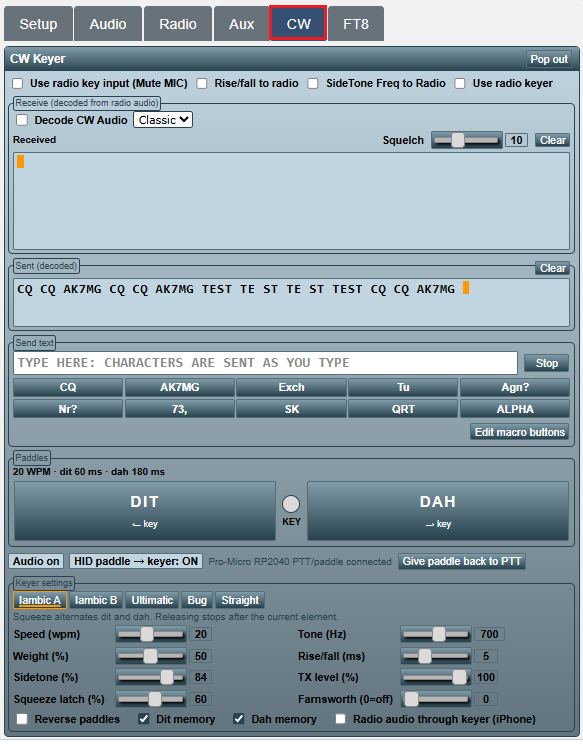
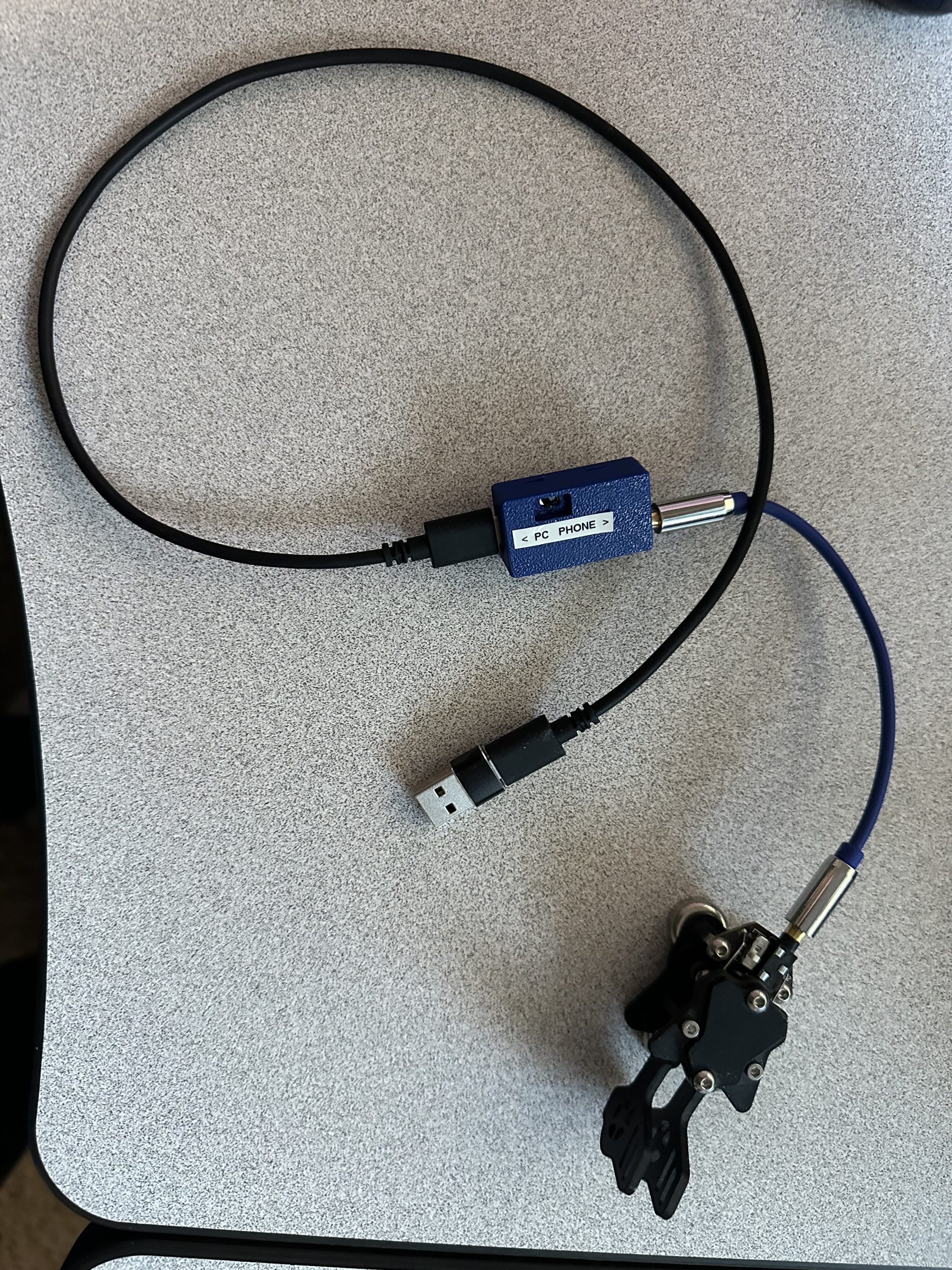
A RemoteTx USB paddle adapter is plugged into the PC. This sends paddle signals to the CW keyer that is build into the RemoteTx browser. The browser then generates the CW sidetones that are sent on to the RemoteTx RPi that is plugged into the radio. The RemoteTx browser CW keyer also accepts text typed into the keyboard as well as configuring macro buttons for frequently used transmissions. These can features can be used without the necessity of the RemoteTx USB paddle adapter. - AT RADIO STATION WITH RemoteTx RPI:
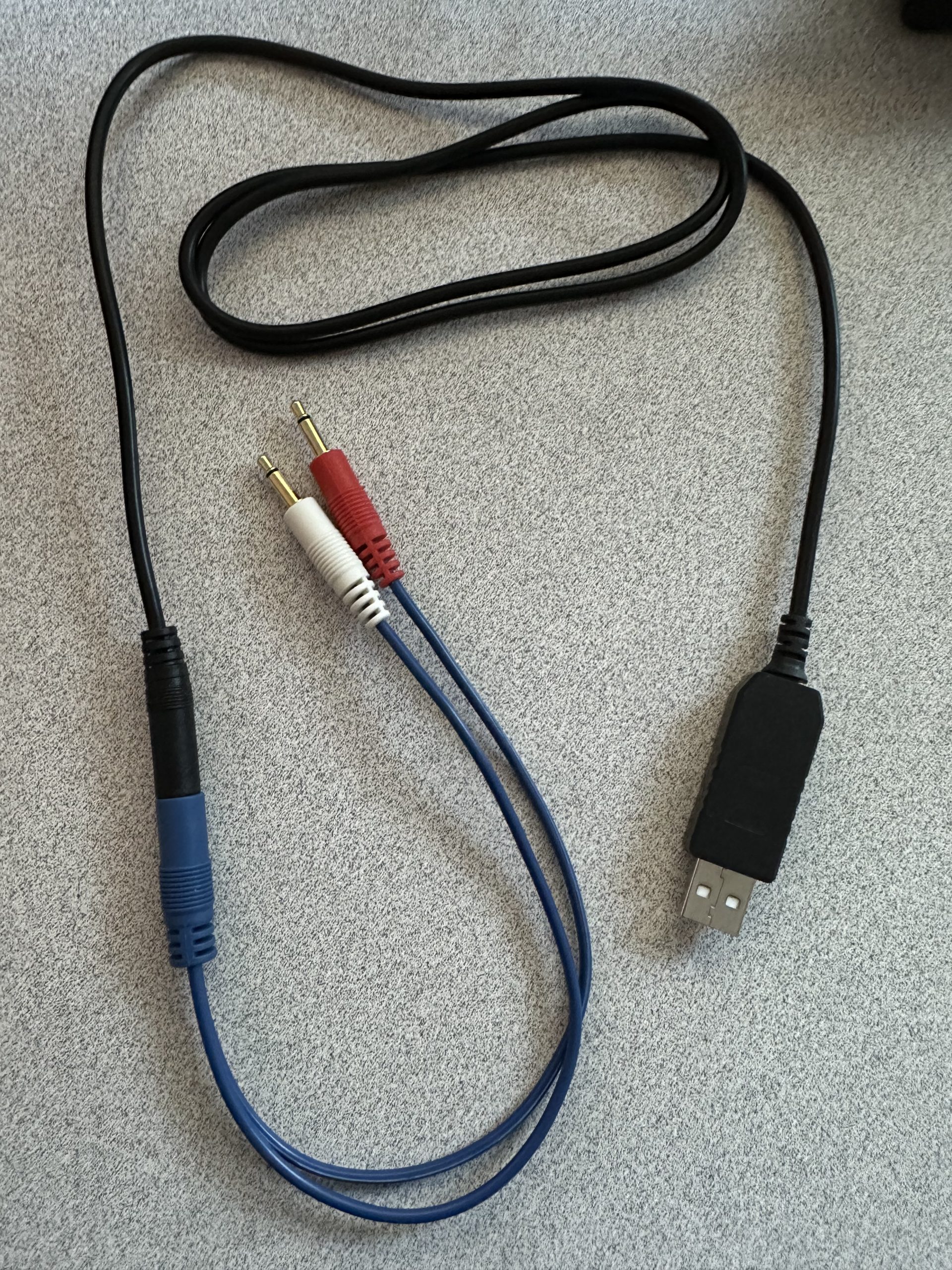
A RemoteTx USB VOX Audio adapter is used to trigger the radio’s key input. When a CW audio tone is received from the remote PC, the VOX PTT is triggered which is fed into the radio CW key input which in turn keys the radio. The radio key setting is set to straight key. The radio phones jack is also connected to the VOX USB sound card line in, so that RX CW can be heard on the remote PC.RemoteTx now has custom built VOX USB sound card adapters for this solution available.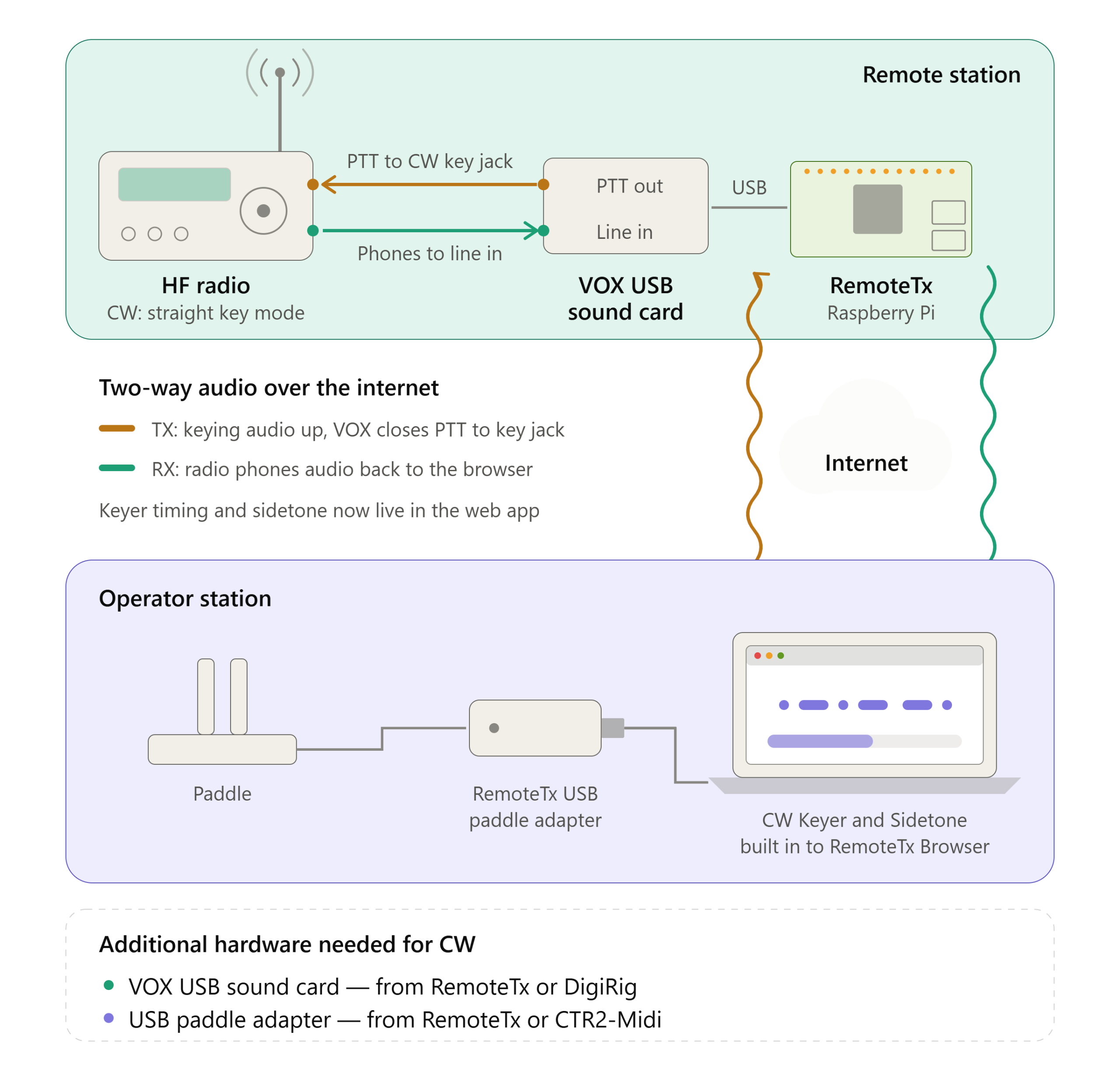
Screenshot of Browser CW Keyer Interface:
List of Materials:
RemoteTx USB Paddle Adapter FOR Sending PC/MAC:
(Will also work with iPhone and Android)
RemoteTx VOX USB Sound Card FOR RADIO/RPi: